
Enclosed and high-value carriers
Enclosed auto transport software for carriers who move high-value vehicles
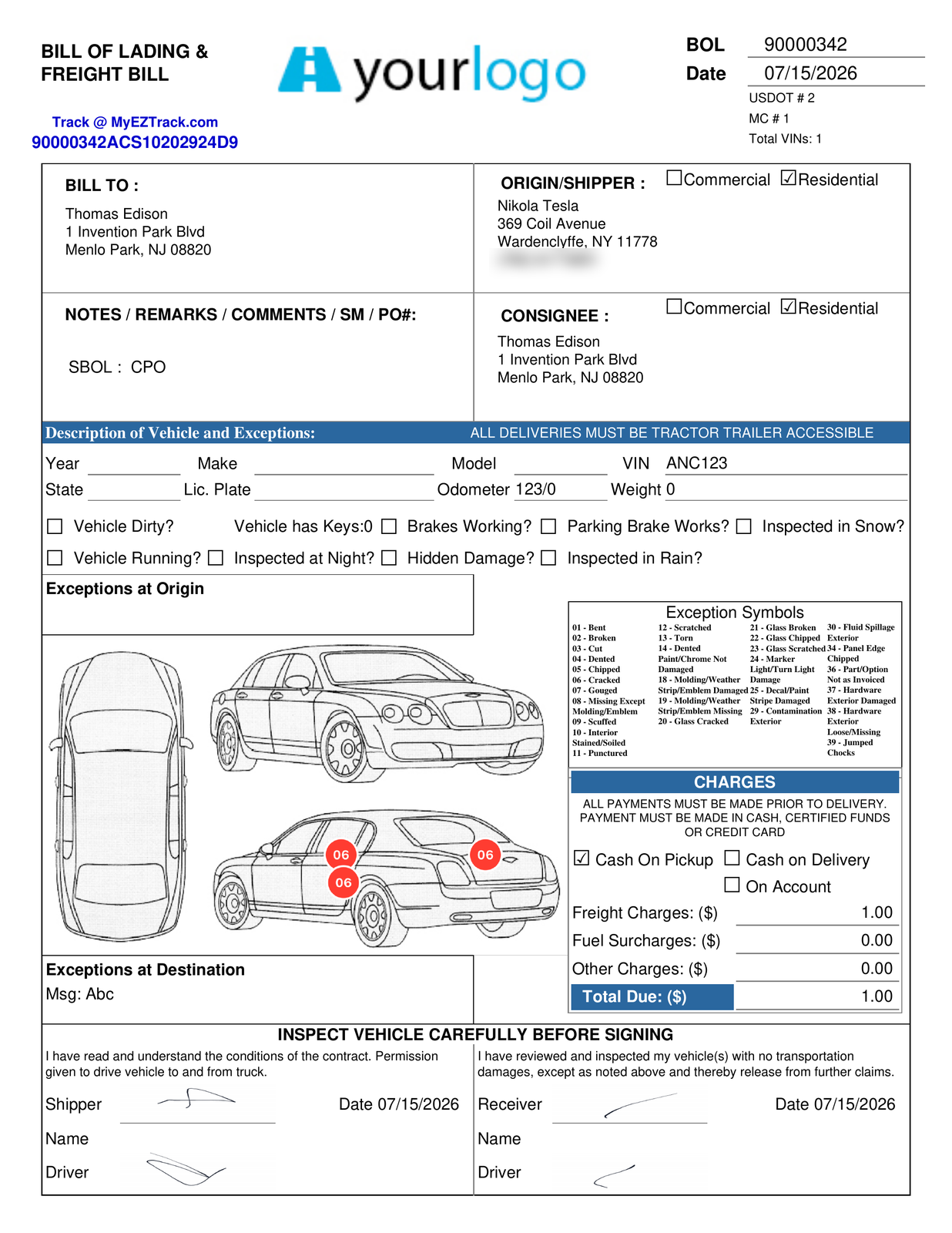
Exotic, classic, collector, OEM or auction: every vehicle can get the same condition record. Drivers mark damage at pickup, and the markups stay on the VIN. View details shows the signer everything the driver entered. At delivery, it adds the pickup recap and inspection.
One condition record for every kind of high-value move
Exotic, classic and collector cars
On private-owner moves, drivers mark damage on the vehicle diagram and on their photos, the markups are stored on the VIN, and the customer signs at pickup and at delivery.
OEM high-value moves
Drivers record AIAG damage codes on OEM pickups and deliveries, and GoPhore exchanges data with manufacturers, ports and railroads.
Auctions and collector events
Dispatch the load, document condition with photos at pickup, and capture a signed ePOD at delivery.
The condition record
From pickup to signature, on every VIN
1At pickup
Drivers mark damage on the vehicle diagram and on their photos, and add AIAG damage codes on OEM moves.
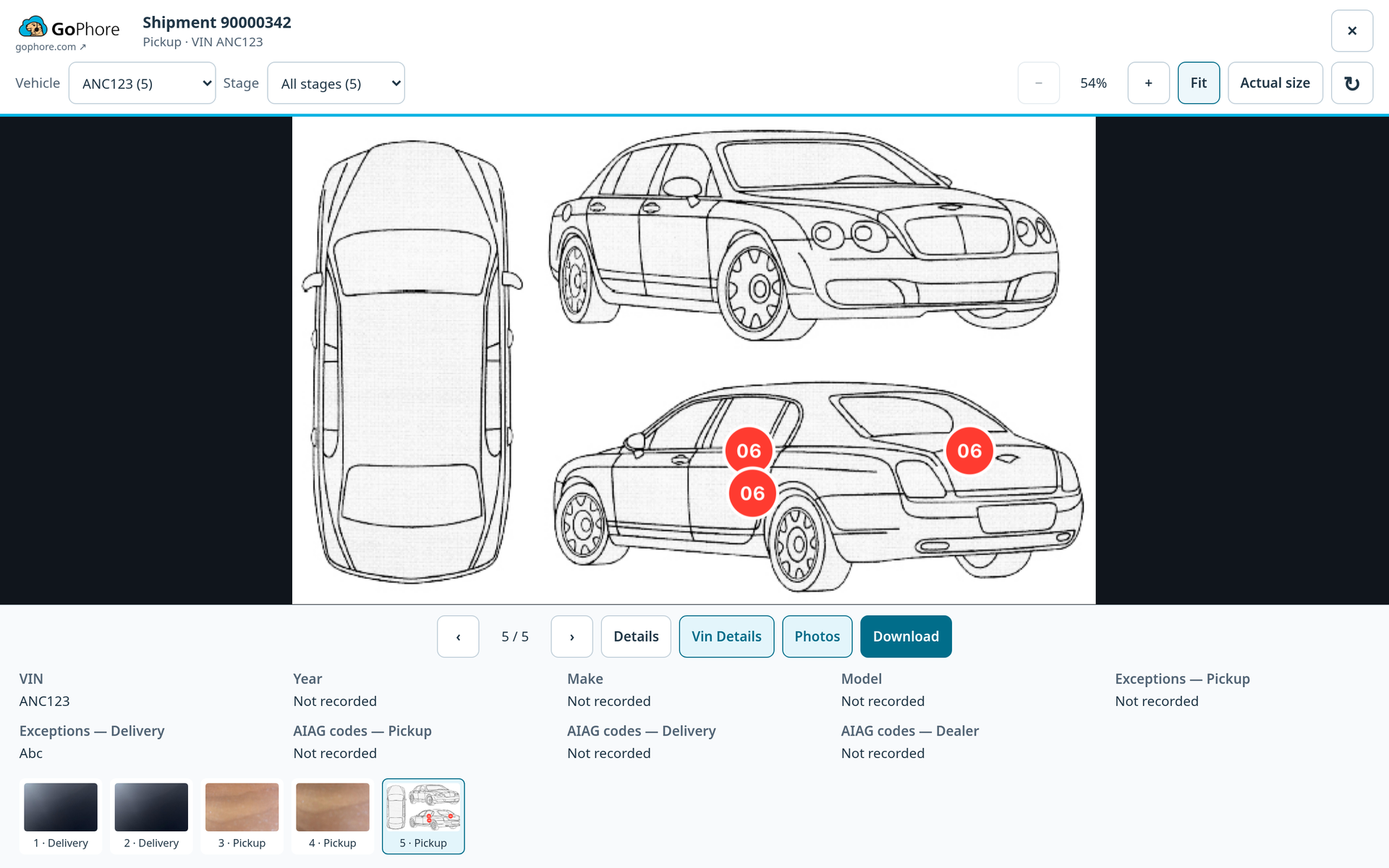
2On the VIN
Markups are stored on the VIN. Your customers can zoom, filter by VIN or stage, and download the photos as a ZIP.
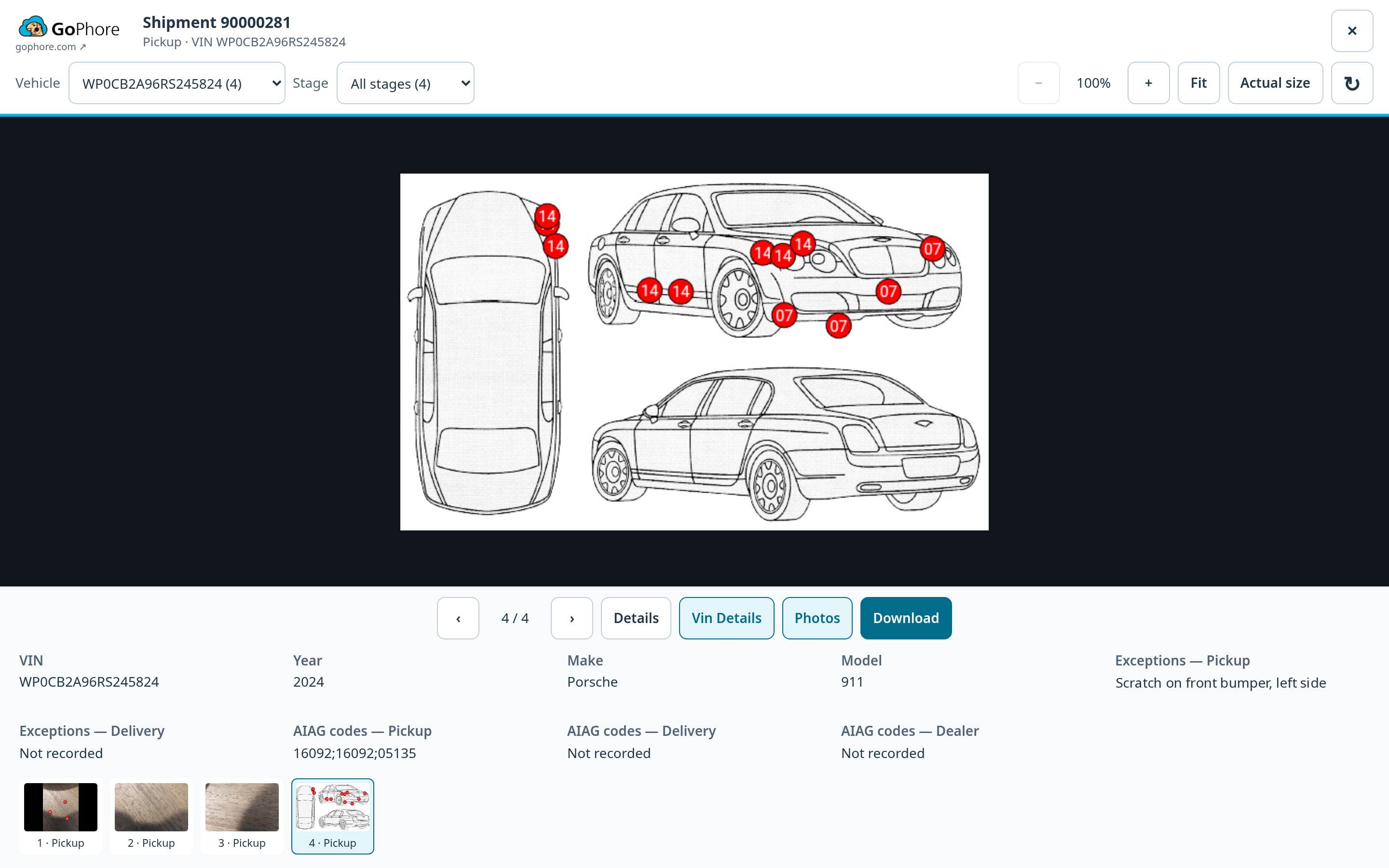
3At delivery
Before signing, the customer taps View details to review everything the driver entered. At delivery, the review also includes a pickup recap, with the pickup inspection shown alongside the delivery data.
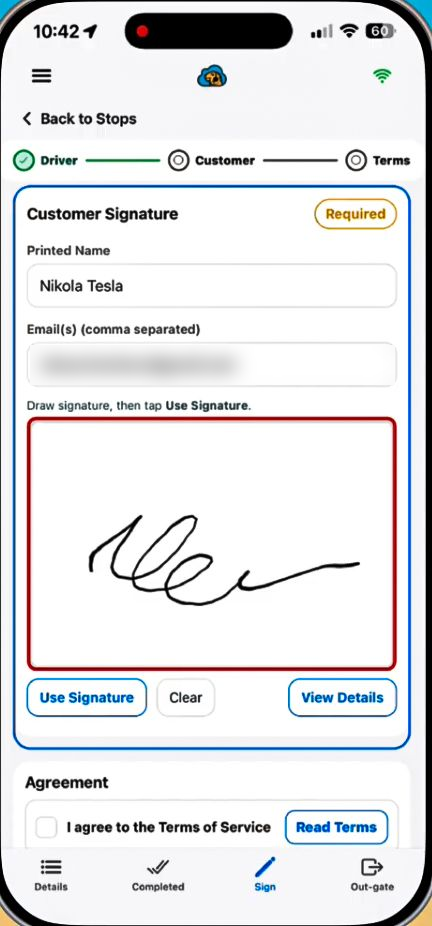
4Signed, even when they are not there
Dispatch can send a signing link instead. From that link, the signer can view the VIN details, driver photos and the BOL.
Driver accountability
What the driver records, and when
Signatures at both ends
Drivers collect the customer's signature when loading is complete at pickup, and again at delivery.
Photo rules by customer
Set a minimum number of required photos by customer, so drivers follow the right process for each customer and stop.
Pickup condition, shown at delivery
The signature screen shows the markups recorded at pickup for each VIN.
Keeps working offline
The iOS and Android app keeps working offline and syncs when drivers reconnect.
Damage codes for your operation
Custom damage codes for your operation's reporting are available on request.
Saved work, recovered
Saved work recovers after restarting or signing back in.
Exceptions that print on the BOL
On private-owner moves, drivers can type free-form exceptions for a VIN, and they print on the BOL.
GoPhore Command
Every high-value load, in view from the office
GoPhore Command gives dispatch and operations teams a live view of drivers, assigned work, onboard VINs, trailer capacity and risks in one workspace.
Dispatchers can open the photos a driver has taken from Dispatching or the BOL Dashboard. GoPhore Command is included in the GoPhore platform, not a separate product.
See GoPhore Command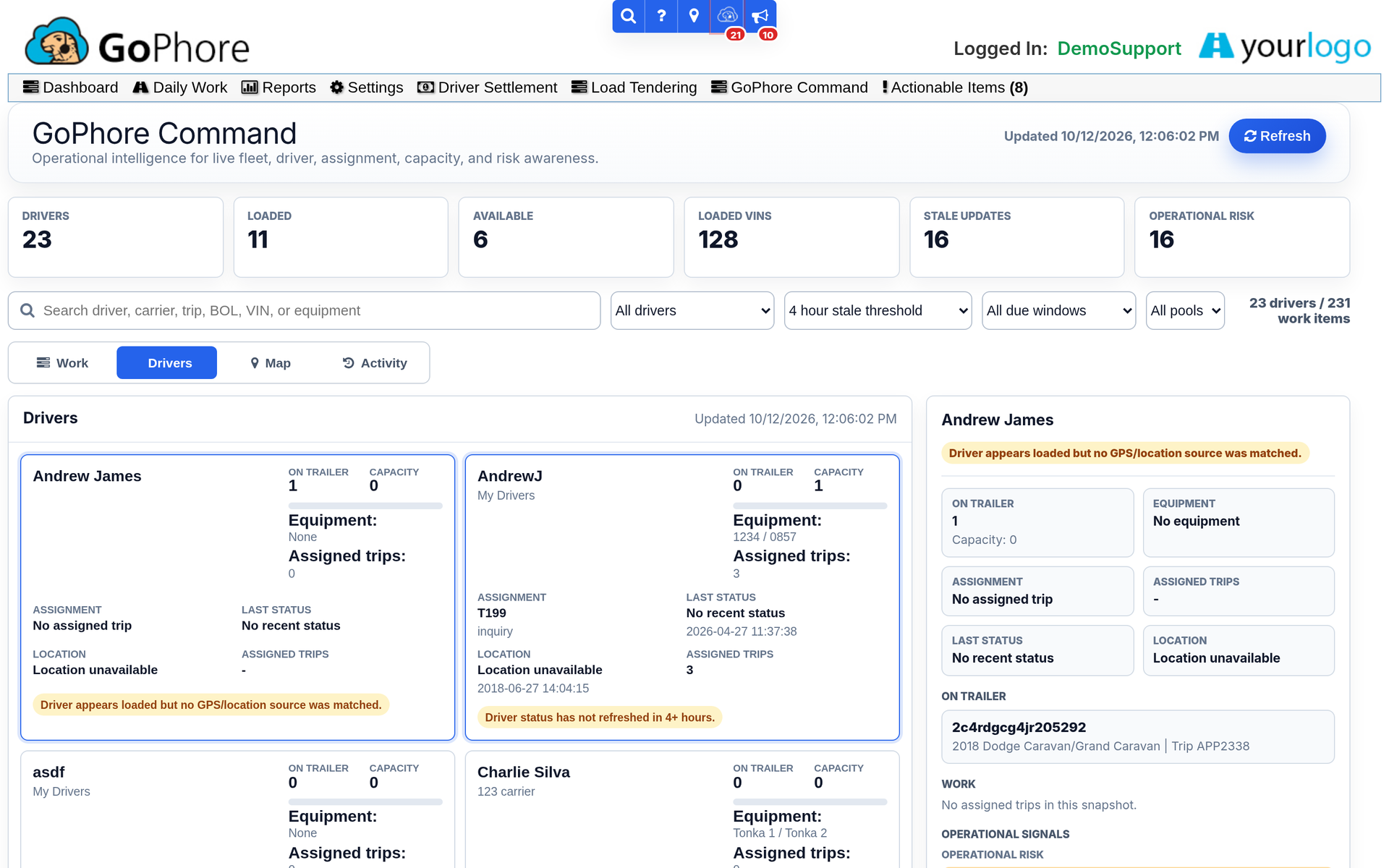
What every GoPhore customer gets
- Role-based user access, with email MFA for dispatch available on request
- U.S.-based support
- Training is included in your subscription; on-site training is available at an additional cost
- QuickBooks integration at no additional cost
- GoPhore Command is included in the platform
Enclosed and high-value carrier questions
Does GoPhore work for enclosed auto transport?
Yes. GoPhore supports enclosed vehicle transportation workflows with dispatch, the driver app, damage markups, ePOD and VIN-level tracking, and one condition record per VIN from pickup to signature.
Can drivers use AIAG damage codes on private-owner moves?
AIAG damage codes are recorded on OEM moves. On any move, OEM or private, drivers can store damage markups for a VIN on the vehicle diagram and on their photos.
What does the customer see before signing?
Before signing, the customer taps View details to review everything the driver entered. At delivery, the review also includes a pickup recap, with the pickup inspection shown alongside the delivery data. From a signing link sent by dispatch, the signer can view the VIN details, driver photos and the BOL.
Can customers download the vehicle photos?
Yes. The customer photo viewer lets them zoom, filter by VIN or stage, and download the photos as a ZIP.
Is GoPhore Command a separate product?
No. GoPhore Command is included in the GoPhore platform, not a separate product.
See the condition record on a demo VIN
Book a demo and we'll walk through damage markups, the customer photo viewer and the View details review before signing.