New in GoPhore Dispatch

GoPhore Command

A live view of your drivers, assigned work, onboard VINs, trailer capacity, recent activity, locations and operational risks, all from one workspace.

See who is loaded, who has capacity, what changed recently, what still needs review, and where operations may need to act next. Then jump straight back into dispatch to act.

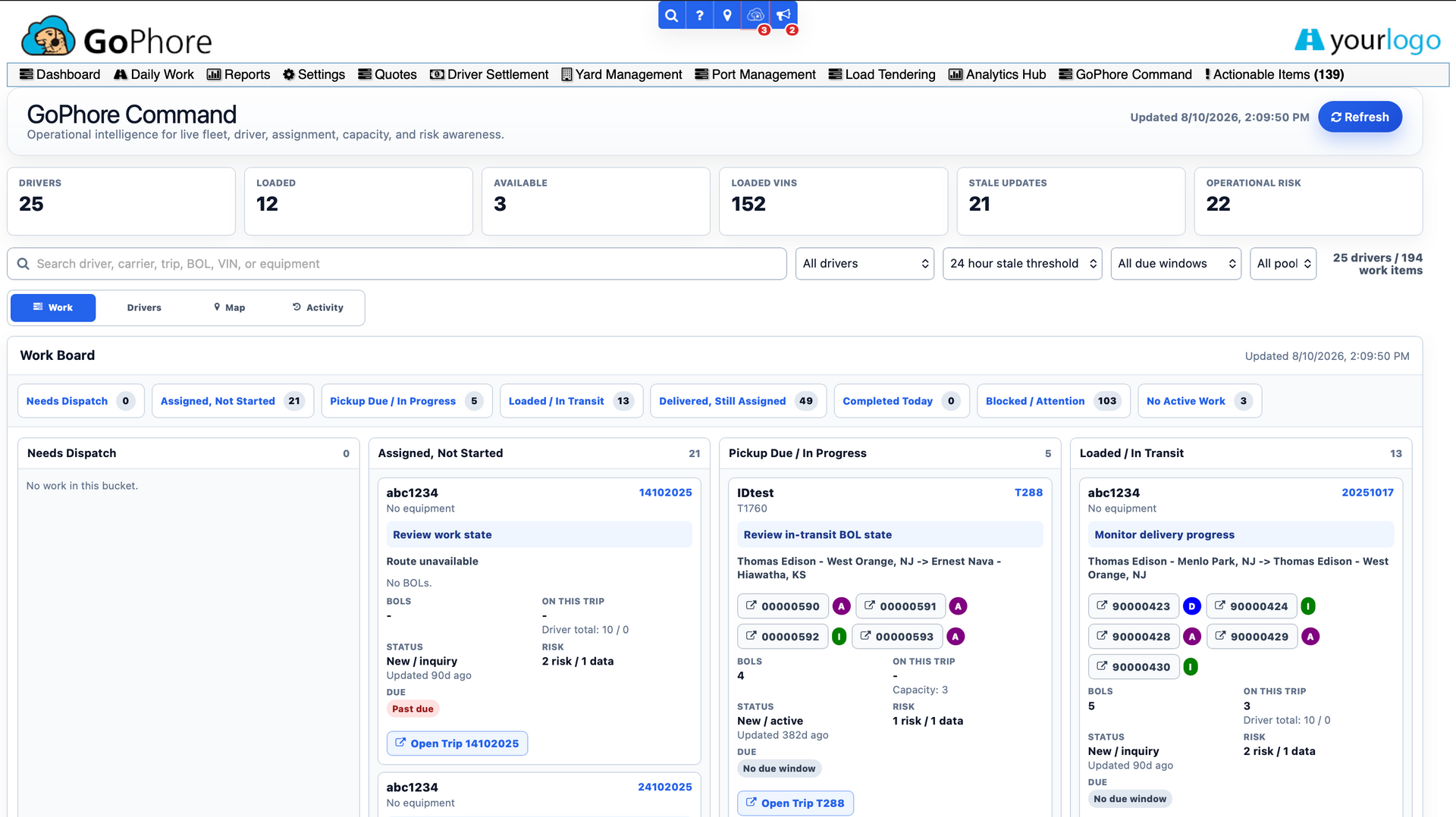
GoPhore Command work board showing driver, loaded, available and operational-risk counts above columns of assigned trips with demo data.

What you can do in GoPhore Command

Start with the work

The work-first view puts assigned trips and BOLs in front of you, along with driver activity, current onboard VINs, trailer capacity, recent updates and operational risks. When a trip or BOL needs attention, clear action links take you back into dispatch.
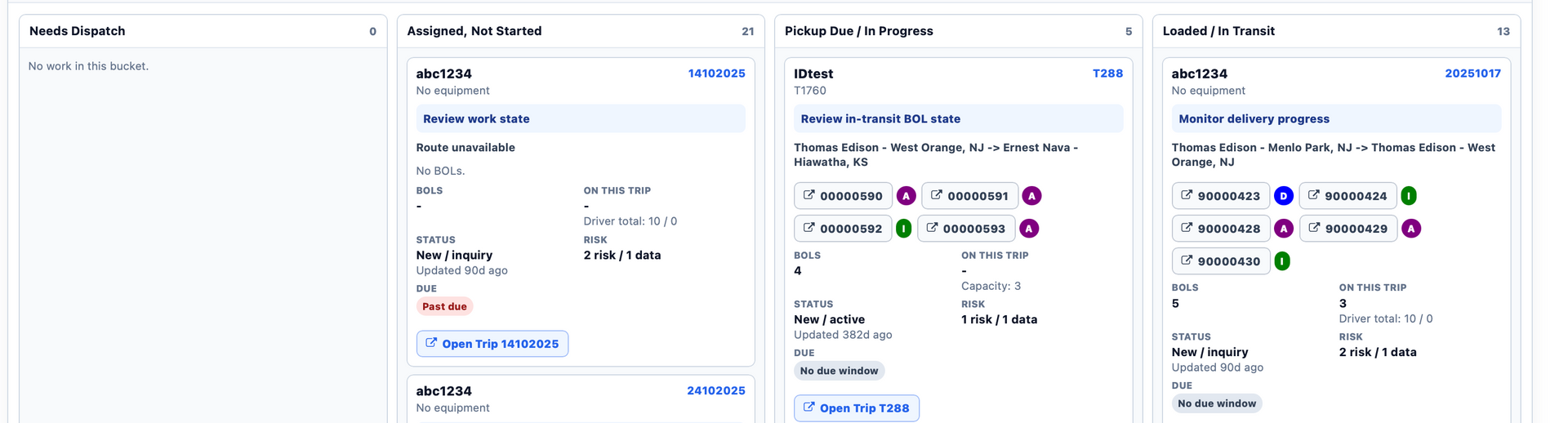
GoPhore Command work board columns with demo trip cards, BOL numbers, status, risk and Open Trip links.

See every driver's load and capacity

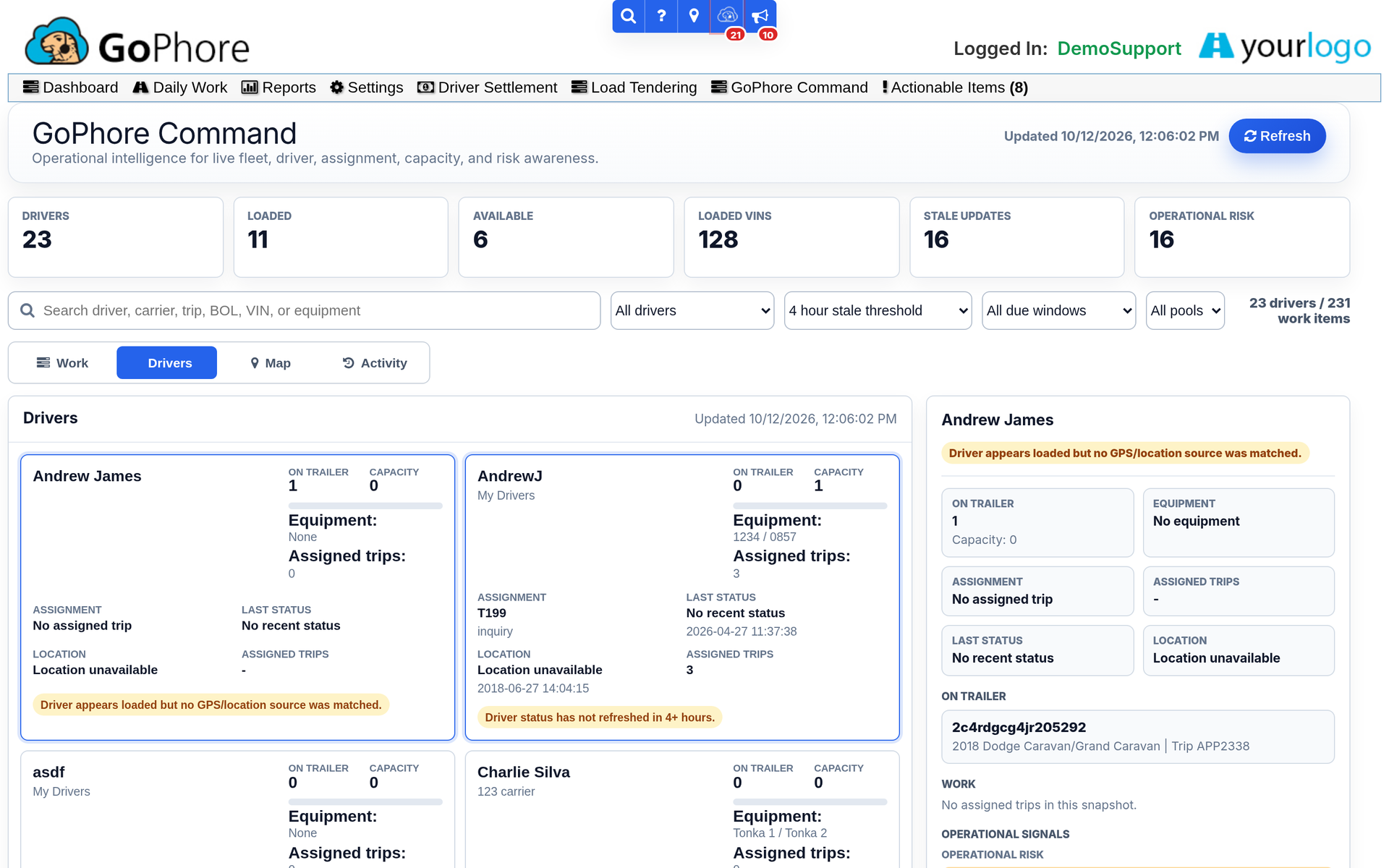
Switch to the driver view to see who is loaded and who has capacity, with current onboard VINs and trailer capacity in view. Pool filtering narrows Command to the pools you need.

GoPhore Command driver view with demo drivers, their equipment, assigned trips, onboard VINs and capacity.

Know where things stand on the map

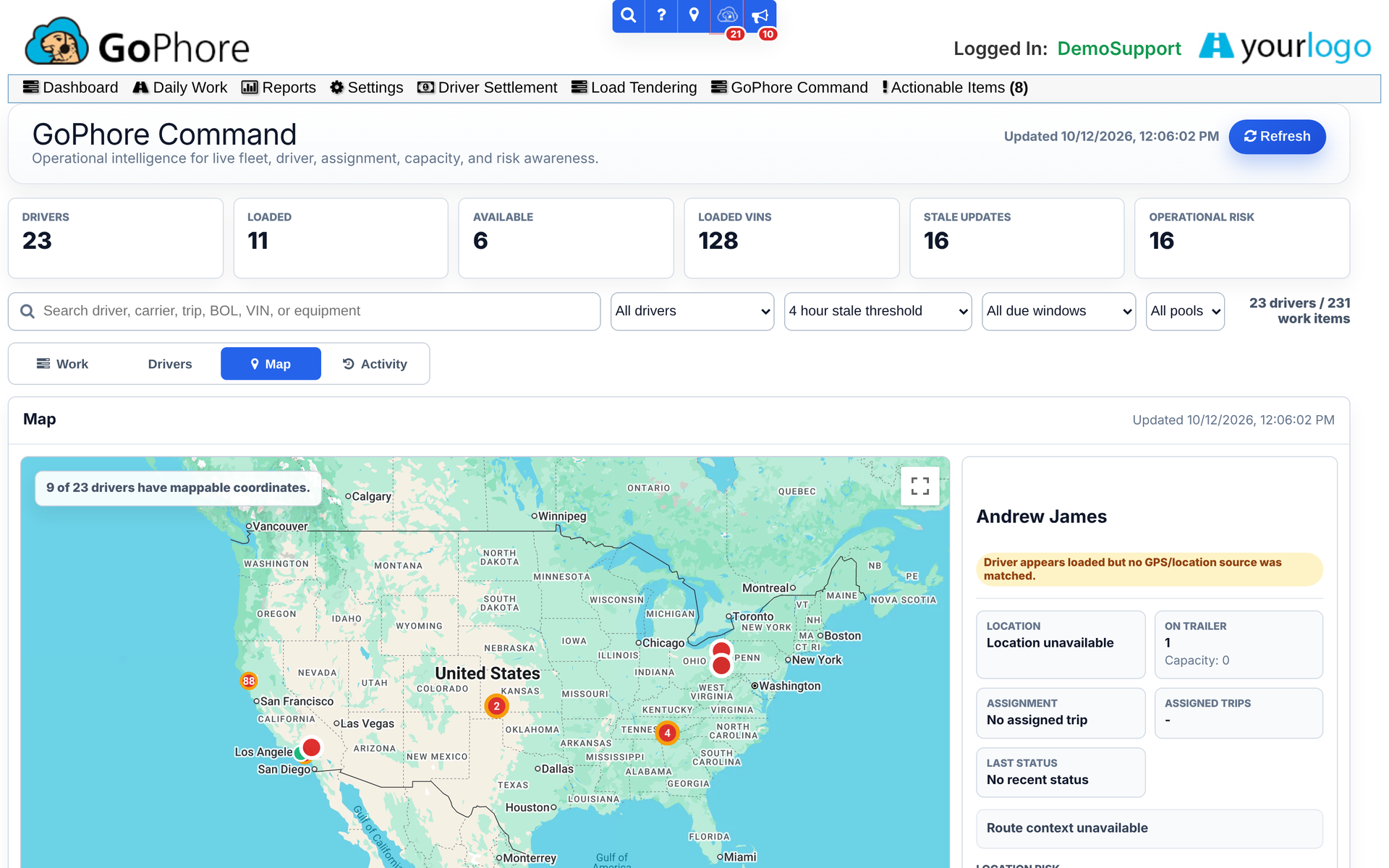
The map view shows locations alongside the rest of Command, so you can see where operations may need to act next without leaving the workspace.

GoPhore Command map view with demo driver locations and the selected driver panel.

Stay on top of what changed

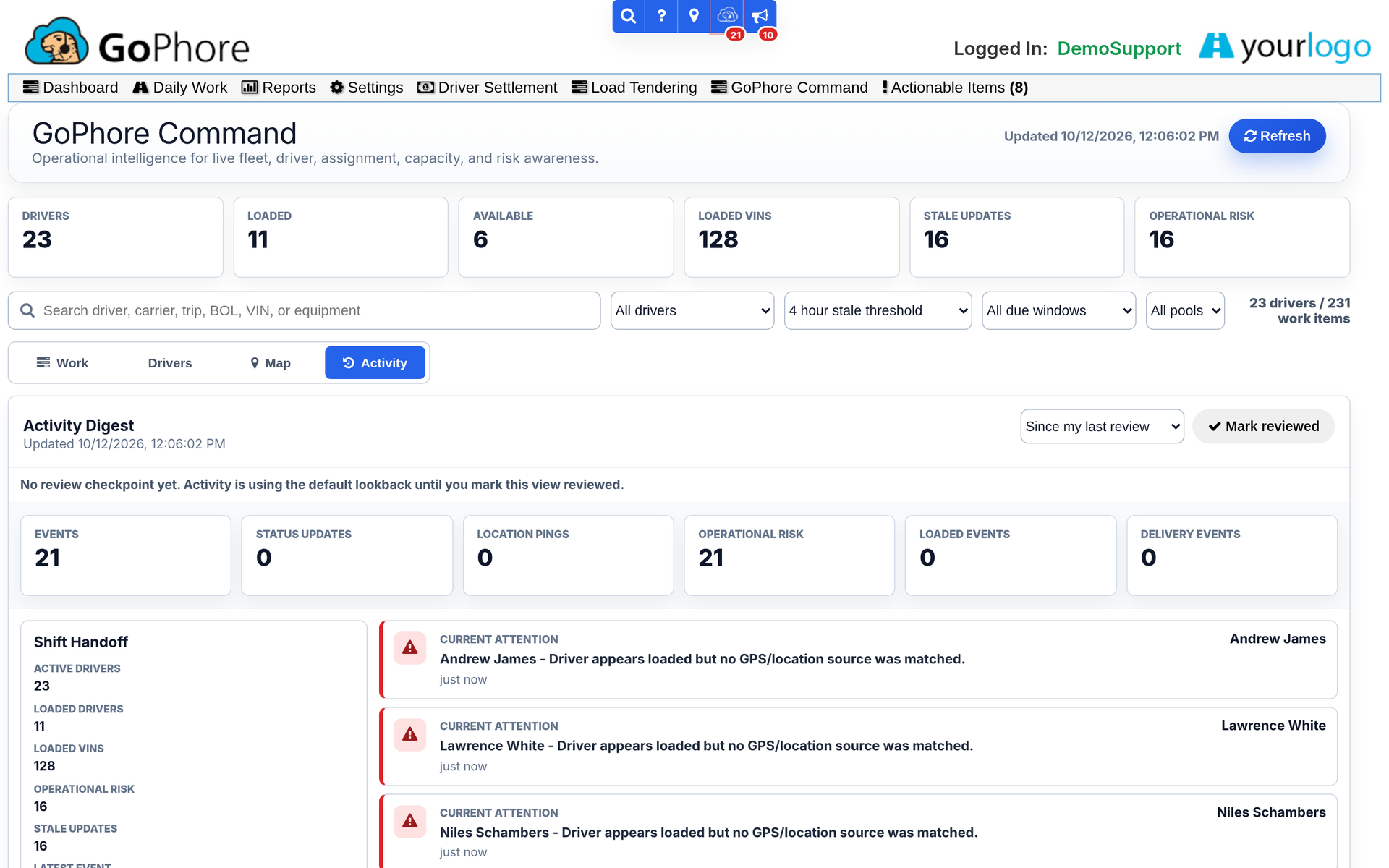
Activity history and stale update controls help you keep track of what changed recently and what still needs review. Use Mark Reviewed to clear activity you've already handled, so the Command badge stays focused on new changes that still need attention.

GoPhore Command activity history listing recent demo driver updates with the Mark Reviewed control.

Always one click from dispatch

Command opens from the GoPhore Command item in the dispatch main menu. It also opens from the operational-risk badge in the top bar, which shows how many current operational risks need review.

GoPhore dispatch top bar with notification badges and the main menu, including the GoPhore Command item.

Who it's for

Built for dispatch, planning, and fleet operations.

GoPhore Command is included in the GoPhore platform, not a separate product.

Dispatch teams

See driver activity, assigned trips and BOLs, onboard VINs and trailer capacity without jumping between screens. Act on a trip or BOL straight from Command.

Operations and planning teams

Get one workspace for what's happening across your pools: who has capacity, what changed and which operational risks still need review.

Enclosed and high-value carriers

High-value loads, in view from the office

See onboard VINs and operational risks alongside each driver's assigned work, and open the photos a driver has taken from Dispatching or the BOL Dashboard.

Enclosed and high-value carriers

See GoPhore Command in action

Book a demo and we'll walk you through Command's work-first, driver and map views using a demo dispatch workspace.

Book a Demo