
ePOD and AIAG damage codes
ePOD and AIAG damage codes for carriers
Capture damage with AIAG codes and photo markups on every vehicle, then collect a signed electronic proof of delivery after the customer taps View details to review everything the driver entered. Markups stay on the VIN and can be shown at delivery.
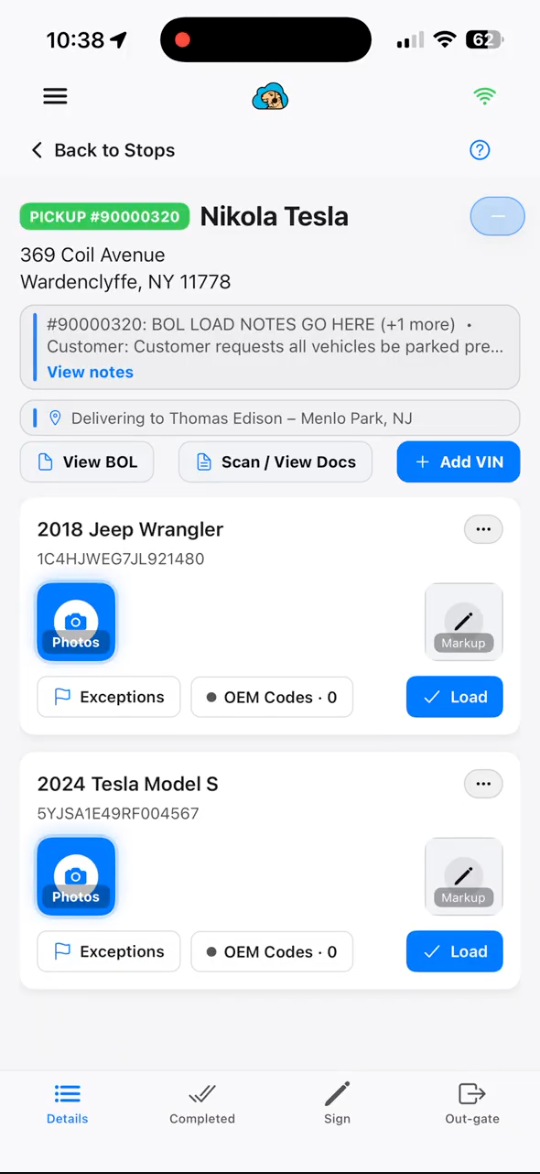
AIAG damage codes & photo markup
Drivers record damage with AIAG codes and photo markups. Markups can be stored on the VIN and shown to the client at delivery.
- Record AIAG damage codes in the field
- Markup photos on the vehicle
- Store markups against the VIN
- Show damage markups to the client at delivery
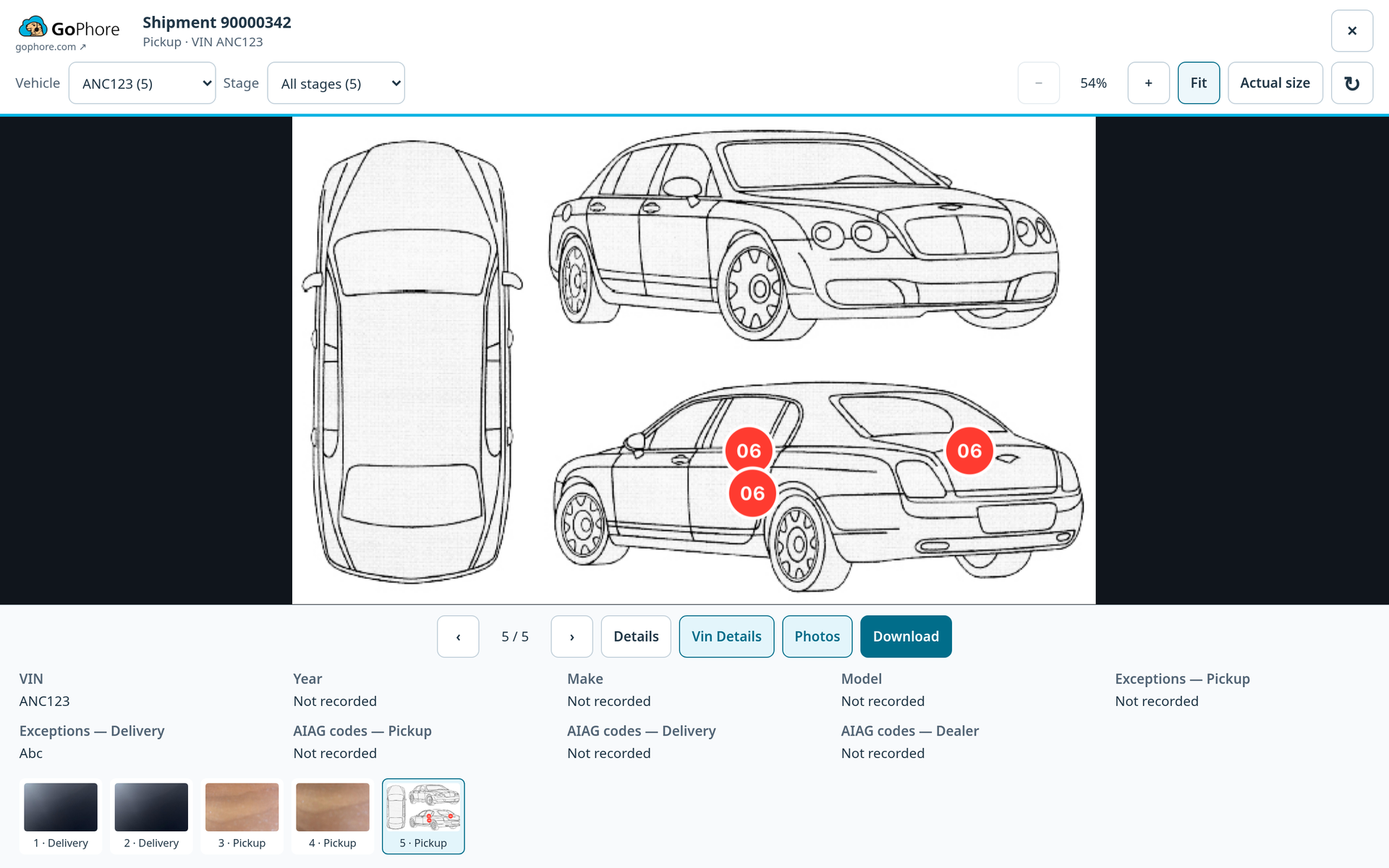
Electronic proof of delivery
Contactless signatures. Before signing, View details shows the signer everything the driver entered.
Contactless signatures
Send a signing link from dispatch when the customer isn’t there in person.
Review before signing
View details shows the signer everything the driver entered. At delivery, it adds the pickup recap and inspection.
Enclosed and high-value carriers
Where a high-value move is signed off
Before signing, the customer taps View details to review everything the driver entered. At delivery, the review also includes a pickup recap, with the pickup inspection shown alongside the delivery data. A signer using a link from dispatch can view the VIN details, driver photos and the BOL.
See a signed ePOD on a demo delivery
Book a demo and we'll walk through AIAG damage codes, photo markups, the View details review and contactless signing links.