
Car hauling software
Car hauling software for every load
Build the load, send it to your driver, inspect and sign for every vehicle, and get the paperwork to billing without chasing it. GoPhore keeps dispatch, drivers and the office on the same order.
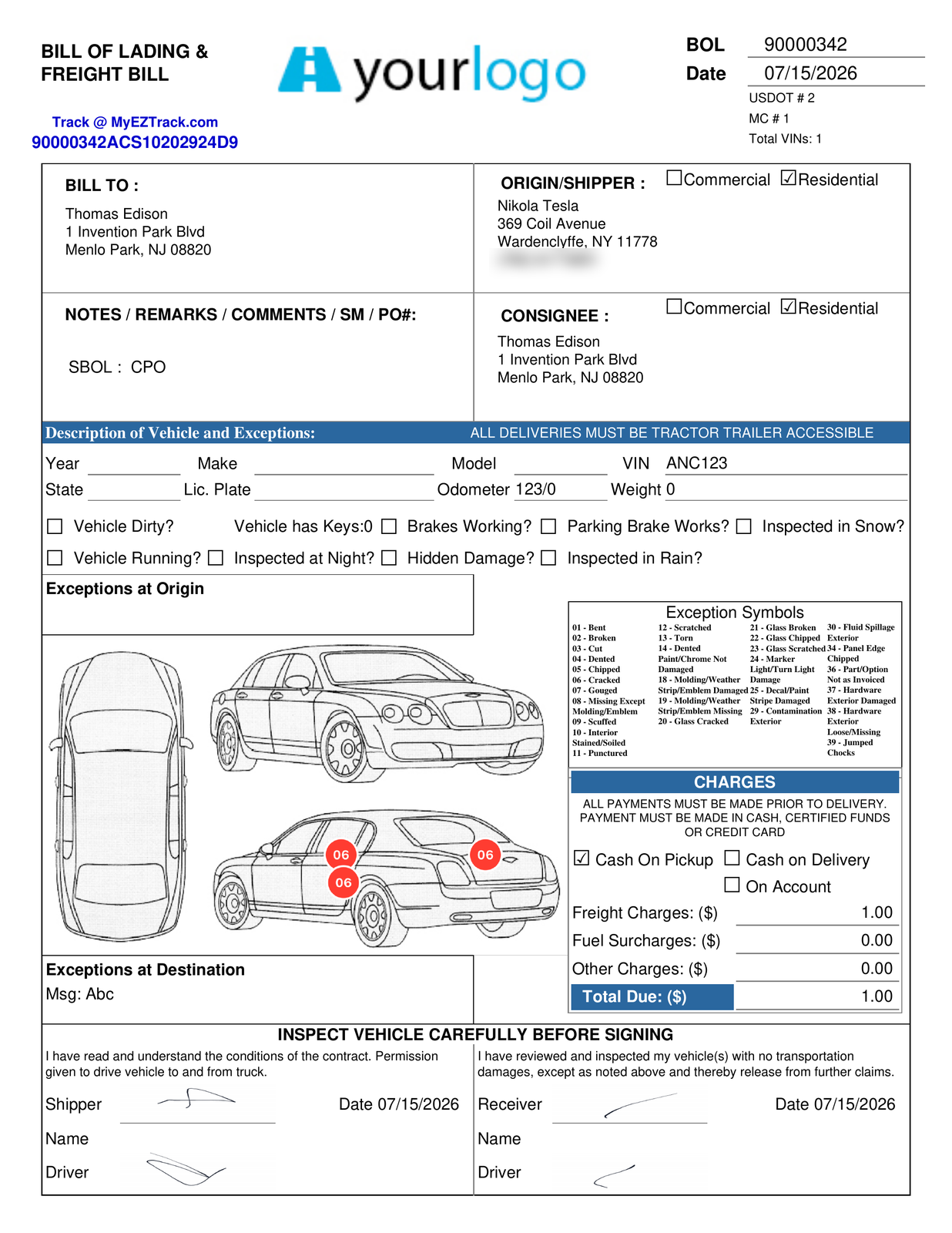
How a load runs in GoPhore
- Build the load. Add the vehicles by VIN and build the load in Load Manager.
- Dispatch it. Assign a driver and dispatch from the same board.
- Inspect at pickup. The driver takes the required photos, marks damage with AIAG damage codes, and records keys, odometer and accessories.
- Deliver and sign. Before signing, the customer taps View details to review everything the driver entered. At delivery, the review also includes a pickup recap, with the pickup inspection shown alongside the delivery data. Then the customer signs the electronic proof of delivery in the app.
- Bill and settle. Bill the load and run driver settlements and driver pay reports from the work your drivers completed.
A driver app that keeps up with the road
The GoPhore app runs on iOS and Android. Saved work survives app restarts and weak cell service, and it syncs when the driver reconnects. Drivers can report an issue to GoPhore Support from inside the app.
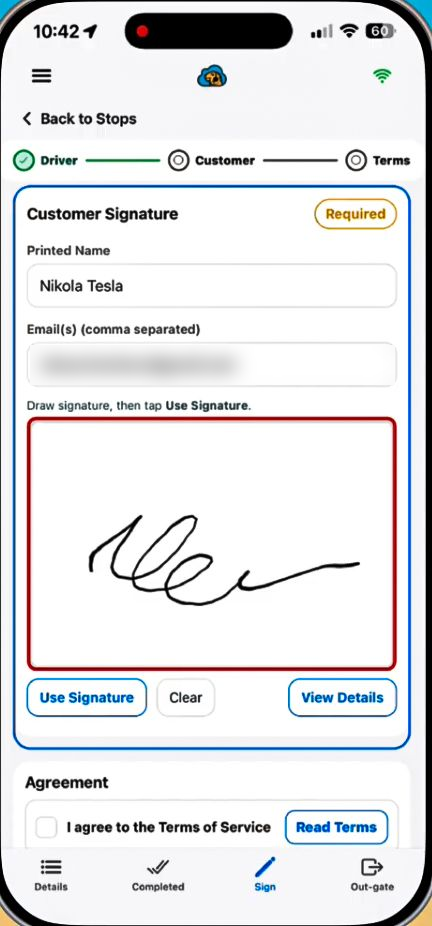
Fewer damage disputes
- AIAG damage codes and photo markups on every inspection.
- Required photos by customer and stop, so drivers capture what each customer expects.
- Review before signing. Before signing, the customer taps View details to review everything the driver entered. At delivery, the review also includes a pickup recap, with the pickup inspection shown alongside the delivery data.
- Photos in dispatch. Office staff view shipment photos full screen and filter by vehicle or stage.
Your customers can check on their vehicles
Give every customer a tracking number. They follow each vehicle by VIN, zoom into photos, filter by VIN or stage, and download the photos as a ZIP.
Get paid and pay drivers
- Driver settlements and driver pay reports. Driver Settlements
- QuickBooks for your accounting workflow. Accounting with QuickBooks
- Customer-specific rates by origin and destination, tiered by vehicle count, with effective dates.
Car hauling software questions
What is car hauling software?
Software that runs the work of a company moving vehicles on car carriers: building loads, dispatching drivers, recording inspections and damage, collecting signatures at delivery, and billing and paying drivers. GoPhore handles each of those steps in one system.
Can drivers use GoPhore without a signal?
Saved work stays in the app through weak service and restarts, and it syncs when the driver reconnects.
How does GoPhore help with damage claims?
Drivers record damage with AIAG damage codes and photo markups, and you can require a set number of photos per customer and stop. View details shows the signer everything the driver entered. At delivery, it adds the pickup recap and inspection.
Do customers get proof of delivery?
Yes. Customers sign the electronic proof of delivery in the driver app, and they can view the vehicle's photos in customer tracking. View details shows the signer everything the driver entered. At delivery, it adds the pickup recap and inspection.
Does GoPhore handle driver pay?
Yes. GoPhore runs driver settlements and driver pay reports.
Does GoPhore work for driveaway too?
Yes. See Driveaway Services.
See a load run from dispatch to delivery
Book a demo and we'll walk through building a load, the driver app, inspections, proof of delivery and settlements with your workflow in mind.